
Minecraft Render Distance vs Simulation Distance
Render distance describes what a player can see. Simulation distance controls part of what the game actively processes around players. On a Java server, view distance is a third setting that limits the terrain sent to clients.
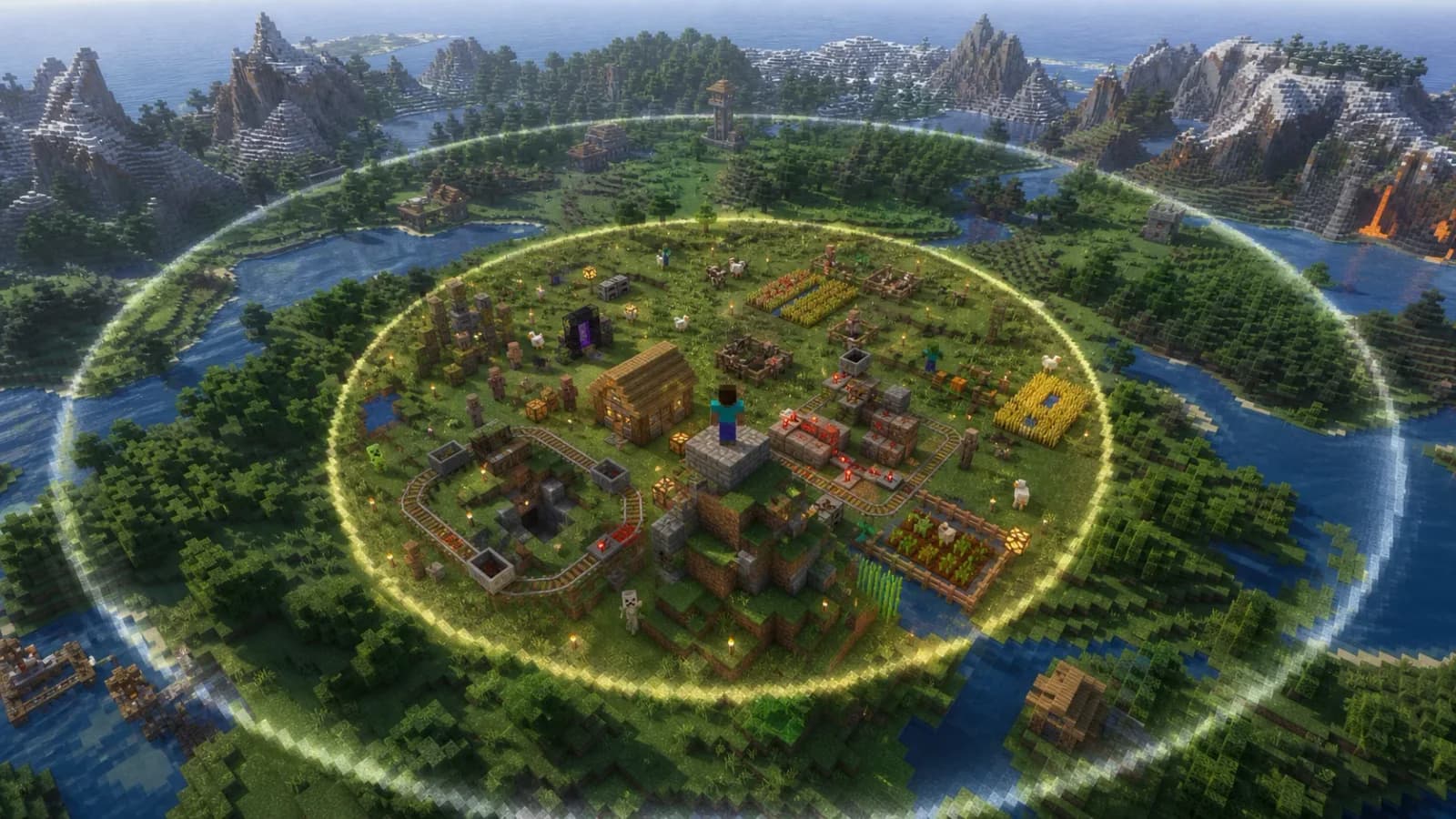
Render distance vs simulation distance: the difference
This guide focuses on Minecraft Java Edition dedicated servers. Bedrock, Realms and server modifications can expose different controls. A setting with a similar name is not a reason to copy an entire configuration between them.
| Setting | Where it lives | What to use it for |
|---|---|---|
| Render distance | Player's video settings | Adjusting the visible scene and client rendering load |
view-distance | Java server properties | Controlling how much surrounding terrain the server sends |
simulation-distance | Java server properties | Controlling the nearby simulation area, including entity processing |
Increasing a client's render setting does not force a normal server to send more terrain than its view limit. Conversely, a generous server view setting does not make a slow graphics card render the scene smoothly. Mojang introduced a separate Java simulation-distance control in 1.18 so visible terrain and active simulation no longer had to use one setting.
Choose the setting from the symptom
Low FPS on one computer: first test lower client render distance and lighter visual settings. Ask another player whether the same scene is smooth. If blocks break promptly and other players move normally, buying server RAM is not the first experiment.
Everyone sees delayed actions: inspect server tick performance and workload. Lower simulation distance can reduce some work, but a problematic machine, heavily loaded base or mod issue can remain expensive inside even a small area. Use the lag diagnosis guide for that broader investigation.
Terrain arrives slowly while exploring: compare an established area with unexplored terrain. Chunk generation, sending data and rendering it are different jobs. Do not conclude that simulation distance is wrong solely because the horizon fills in slowly.
How to change Java server distances safely
Save the existing values before editing. Stop the server normally, find its server.properties file and change one value at a time. Your hosting panel may expose these properties directly or manage them through a settings form; avoid making conflicting edits in two places.
view-distance=8
simulation-distance=6
Those values are an illustrative test configuration, not a universal best setting. Use the supported range for your server version and the modpack author's recommendations. If your current settings already work well, there is no benefit in changing them just to match this example.
Restart and confirm the saved values remain in effect. Some server software has per-world overrides. Paper's documentation is useful for Paper servers, but do not apply its separate configuration files to Forge, NeoForge or Fabric as though they were interchangeable.
Use a repeatable tuning test
- Record a baseline: players online, their locations, current distances and the activity that feels slow.
- Reproduce the workload: return to the same base or travel route with roughly the same number of people.
- Change one setting: compare it with the baseline before changing another.
- Check the trade-off: ask whether the shorter horizon or smaller active area interferes with normal play.
- Keep or revert: record both the setting and what improved. A small measurable improvement is more useful than a dramatic configuration with no comparison.
Test with players both together and spread across separate bases. One person standing still does not represent a busy evening. Leave memory headroom too, but use the RAM sizing guide separately; distance settings are not a direct formula for choosing a hosting plan.
Why visible farms can stop, and distant terrain can remain
Seeing a farm does not prove that every part of it is being simulated. Nor does simulation distance replace all the other rules governing spawning, random ticks, redstone or a modded machine. Test the specific farm at the intended player location before changing your entire server around it.
Modded chunk-loading systems can also keep areas loaded outside the normal player-centered workload. Review those separately if lowering distances has little effect. A visual terrain mod may show distant scenery without making the corresponding blocks interactive or the machines active.
Should simulation distance equal view distance?
Not necessarily. Separate values let you balance scenery with simulation cost. Choose them from observed play needs, rather than assuming that equal numbers are more correct.
Does Minecraft 26.3 make these settings irrelevant?
No. Its release notes include performance changes and new Realms controls, but that does not establish a best configuration for your dedicated modded server. Read our 26.3 server-owner briefing for the release context.
Technical references
Reviewed September 22, 2026: Mojang's Java 1.18 notes and Paper's server.properties reference. The tuning procedure is our suggested test method, not a published performance benchmark.