
How to Set Up a Homestead Modpack Server in 2026
Homestead is the cottagecore quest pack that has quietly become one of Modrinth's fastest-growing modpacks. Here is what makes it special — and how to run it for friends in under five minutes.
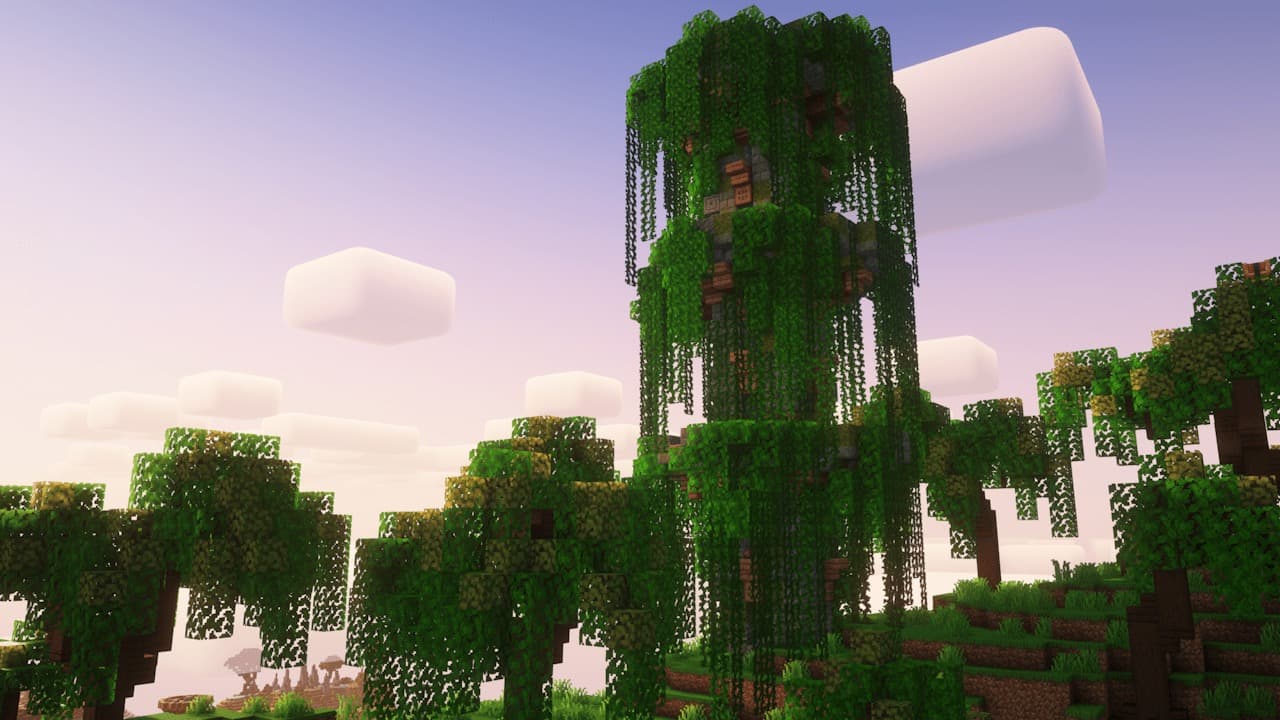
What is the Homestead Modpack?
Homestead is a quest-driven Minecraft modpack focused on farming, cooking, exploration, and slow-paced cottagecore progression. Where most popular modpacks are kitchen-sink tech showcases, Homestead carves out a different niche: it's built for players who want a calmer, story-led survival experience — closer to Stardew Valley or My Time at Portia than to Industrial Foregoing.
The pack has racked up over 347,000 downloads on Modrinth as of May 2026 and continues to climb. The latest update landed on April 22, 2026, with new biomes, expanded farming chains, and a polished early-game quest tree. The maintainer team ships frequent patches and reads community feedback closely, which is why server owners trust the pack to stay stable across versions.
At its core, Homestead bundles Farmer's Delight, Create, Quark, Supplementaries, Aquaculture, and a curated set of exploration mods, then ties them together with FTB Quests so new players are guided rather than dumped into a sandbox. There's no "ore-doubling-by-hour-three" pressure here — the pack rewards exploration, base-building, and time spent rather than tech-tree speedrunning.
Why Pick Homestead Over ATM10 or Create
Most server players land on ATM10, All of Create, or Cobblemon by default. Homestead is for the group that wants something different:
- Lower RAM requirements — Homestead runs comfortably on 4–6 GB for a small server. ATM10 needs 10–12 GB minimum.
- Friendlier for casual players — The quest book holds your hand without restricting you. New players don't bounce off it the way they often do off larger packs.
- Lower-conflict multiplayer — Less automation, fewer entity-heavy farms, and a community that actively avoids grief-prone mod combinations.
- Visually softer — Pastoral biomes, animated wildlife, decorative blocks, and seasonal mods make it one of the prettiest modpacks to record or stream.
- Long-tail content — Cooking, crops, and exploration unlock at a steady pace across 80+ hours rather than peaking in the first weekend.
If your group has burned out on tech-heavy packs, or you have friends who bounce off Minecraft's "empty sandbox" problem, Homestead is the pack to suggest.
Which Minecraft Version to Run
Homestead is currently maintained on Minecraft 1.20.1 using Forge. There is community work on a NeoForge port for 1.21, but as of May 2026 the official, supported branch is still 1.20.1 — and that's the version with full mod compatibility, the most polished quest book, and the broadest addon support.
Don't try to force a newer version. The single biggest reason Homestead servers crash on day one is players or hosting providers loading the modpack against the wrong Minecraft version. Match your server JAR exactly to the modpack version on Modrinth.
Server Requirements & RAM Guide
Homestead is one of the lighter quest packs, but it still asks for more than vanilla:
2–4 players
Minimum: 4 GB
Recommended: 6 GB
5–10 players
Minimum: 6 GB
Recommended: 8 GB
10+ players
Minimum: 8 GB
Recommended: 10 GB
Pair the RAM with at least 2 dedicated CPU cores at 3.5 GHz or higher. Minecraft is single-thread bound, so per-core clock speed matters more than core count. Our full RAM guide has more detail if you're sizing for a specific player count.
Option A: Quick Setup with ModReady
The fastest path. ModReady has Homestead in its one-click modpack catalog, so the entire setup looks like this:
- Open Checkout and pick the Standard plan (8 GB RAM — the right tier for Homestead with up to 10 players).
- On the modpack picker, search for Homestead and select the latest version.
- Choose your server region (closest to your player group).
- Pay with card or one of the regional payment methods. Use code WELCOME20 for 20% off your first month.
- Your server is provisioned and online in under two minutes. The control panel hands you the IP and a starter admin account.
That's it. No Java install, no port forwarding, no fighting with Forge versions. The server boots up with the exact modpack files Modrinth ships, including the latest quest book and resource packs.
Option B: Self-Hosting Your Server
If you want to run Homestead from your own machine or a VPS, here's the full path:
- Install Java 17. Homestead 1.20.1 requires Java 17 specifically. Adoptium Temurin is the easiest distribution.
- Download the Homestead server pack from the Modrinth page. Make sure you grab the "Server Pack" archive, not the client one.
- Extract the archive into a fresh folder.
- Run the start script —
start.shon Linux/Mac,start.baton Windows. The first run installs Forge, accepts the EULA prompt, and downloads dependencies. - Edit
server.propertiesto set your motd, max players, and view distance (8 is the sweet spot for Homestead). - Open port 25565 on your firewall and router. Our port forwarding guide covers the exact steps for every major router brand.
- Test the connection from a friend on a different network. If they timeout, your ISP is likely on CGNAT and you'll need a managed host instead.
Self-hosting works well if you have a static IP and a machine that stays on 24/7. If either of those is shaky, expect outages.
Performance Tips for Homestead
Homestead runs smoothly out of the box, but a few tweaks make a real difference once your group settles in and farms start expanding:
- View distance: 8 — Homestead loves dense decoration. Going above 8 multiplies entity counts fast.
- Simulation distance: 6 — Lets crops grow nearby without simulating distant chunks.
- Pre-generate the spawn area — Use Chunky to pre-generate a 2,000-block radius around spawn before players join. This eliminates the "new world lag" that kills first impressions.
- Limit entities per chunk — Edit
spigot.ymlif your group goes hard on animal farming. Homestead's breeding chains can get out of hand. - Use Aikar's Java flags — Standard for any Forge server. ModReady applies them by default; for self-hosting, paste them into your start script.
Common Issues & Fixes
The two issues we see almost every Homestead server hit:
- "Mod requires Forge X but Y is loaded" — You downloaded the modpack manually but the Forge installer pulled a newer version. Use the start script that ships with the server pack — it pins the right Forge version.
- Crash on world load citing FTB Quests — Almost always caused by editing the quest book mid-game while a player is online. Take everyone offline before tweaking quests.
- "Connection lost" after 5 minutes of play — Network MTU issue, common on consumer routers. Our connection troubleshooting guide has the fix.
- Crops not growing — Simulation distance is set too low. Bump to 6 minimum.
Multiplayer Tips
Homestead is one of the best modpacks for mixed-skill groups. Some advice from servers we've seen run for months:
- Set spawn protection generously — The starter village is part of the experience. Protect it.
- Use the team feature in FTB Quests — Players can share quest progress, which keeps casual friends from feeling left behind.
- Run a community farm — Homestead rewards centralization. A shared barn and crop field gets every player invested in spawn.
- Schedule one cooking night per week — Sounds silly. Works. Farmer's Delight recipes are the social glue of any Homestead server.
- Don't allow CoreProtect-style logging mods — They duplicate Homestead's built-in logging and tank performance.
Ready to Run Homestead?
Homestead is the kind of pack that runs in the background of your group's life — a server you log into for an hour after work, not a tech-tree gauntlet. Get it running in minutes, invite your friends, and let the cottagecore loop do its thing.
Spin Up Your Homestead Server in 2 Minutes
One-click Homestead install, automatic backups, and managed updates. The Standard plan (8 GB) is the sweet spot for groups up to 10 players.
Start Your Homestead Server — $8.99$7.19/mo